
Top 5 Collaborative Digital Whiteboards to Boost Student Participation
The traditional whiteboard has a glaring limitation: it is a one-way communication tool. An instructor stands at the front of the room writing formulas, drawing diagrams, or mapping out code structures, while students sit in static rows, passively copying information into their notebooks. If an educator asks a student to come to the board to solve a problem, it often triggers intense perfectionism, paralysis or social anxiety.
In a modern, future-ready classroom—especially one anchored in immersive STEAM tracks (Science, Technology, Engineering, Arts, and Mathematics) or running on a Flipped Classroom model—this passive dynamic creates an immediate learning bottleneck.
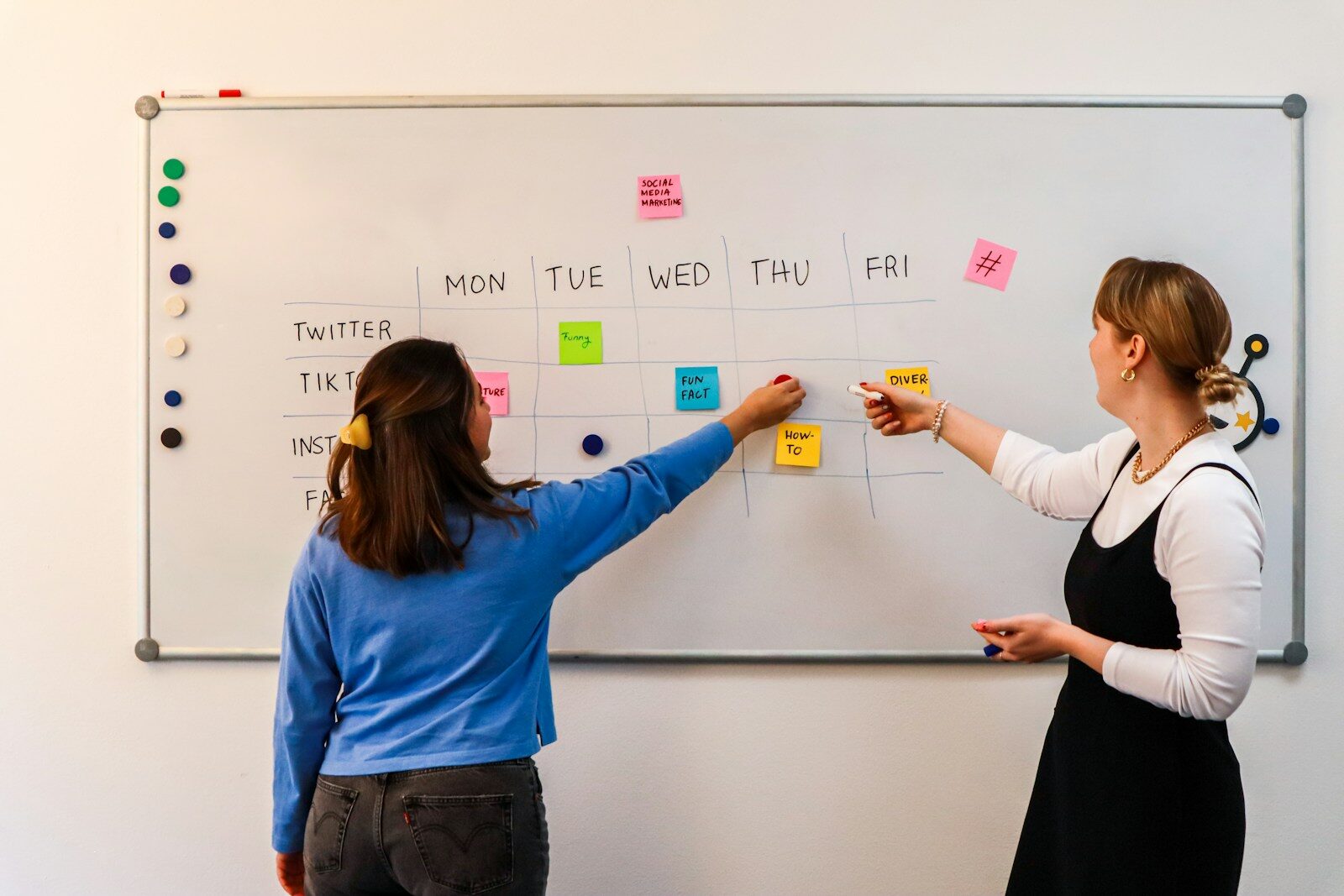
To build true engagement, you must transform your board from a static presentation screen into a shared digital ecosystem where every student can brainstorm, build prototypes, track data, and collaborate in real time from their own devices.
At Clacachi Edu Consults Limited, we focus deeply on human capital development and bridging foundational education with world-class technical competencies. We know that scaling your academic impact online as a Micro-Tutor or running an active workshop lab requires the right collaborative infrastructure.
This comprehensive guide reviews the top 5 collaborative digital whiteboards designed to dismantle classroom isolation, reduce role overload, and massively boost student participation.
The Digital Canvas Matrix: Choosing Your Collaborative Infrastructure
Not all digital whiteboards are built for the same instructional goals. Some specialize in rapid brainstorming, while others function as high-utility development environments for technical prototyping.
| Platform | Core Superpower | Best Instructional Use Case |
| Miro | Endless canvas with industrial-grade engineering templates. | Advanced STEAM group workshops, systems mapping, and project milestone tracking. |
| Figma / FigJam | High-fidelity UI/UX prototyping and creative asset design. | Design thinking labs, branding architecture, and digital art layouts. |
| Mural | Structured facilitation controls and spatial organization. | Guided formative assessments, strategic planning, and peer-critique blocks. |
| Padlet | Clean, block-based multimedia bulletin boards. | Fast exit tickets, classroom check-ins, and resource curation vaults. |
| Lucidspark | Seamless transition from fluid brainstorming to structured logic diagrams. | Algorithmic code planning, database schema tracking, and math modeling. |
1. Miro: The Elite Systems Architecture Canvas
For advanced student collaboration and cross-disciplinary STEAM projects, Miro stands as an industry standard. It provides an unshakeable, infinite canvas that allows hundreds of students to work simultaneously without performance lag.
- Active Participation Features: Students can drop sticky notes, sketch freehand, upload data tracking sheets, and vote on peer ideas anonymously. The built-in “Bring Everyone to Me” tool allows you to instantly anchor wandering student screens back to your central instructional anchor block.
- Why Kids Want to Finish: Miro mirrors the real-world operational environments of top-tier global tech firms. When students use it to map out a sustainable community model or coordinate project milestones, they feel like real engineers and project managers.
2. FigJam (by Figma): The King of UI/UX and Creative Design
If your assignments place a heavy premium on design, creative execution, and visual communication, FigJam is an unmatched environment. It functions as the interactive, student-friendly gateway to Figma, the world’s leading digital product design ecosystem.
- Active Participation Features: FigJam is packed with high-engagement mechanics that Gen Z and Gen Alpha naturally love: live stamp tools, timers, high-fives, and expression emojis. It includes expression features that let quiet or introverted students participate actively without experiencing evaluation anxiety.
- Why Kids Want to Finish: It makes the prototyping loop incredibly fun. Students can easily drag and drop interactive wires to build working app interfaces, design corporate branding logos, or curate user journeys for their final public products.
3. Mural: The Facilitator’s Anchor for Structured Formative Checks
If you worry that an infinite canvas will lead to administrative chaos or distraction, Mural is your ideal solution. It is built specifically with deep facilitation controls that keep your workshop blocks tightly focused.
- Active Participation Features: The “Super Lock” feature allows you to freeze foundational layout elements so students don’t accidentally delete or move the assignment instructions. The “Private Mode” allows students to input their answers onto the board privately, shielding them from peer pressure before a collective reveal.
- Why Kids Want to Finish: It provides a clean, visual roadmap. You can use it to run rapid formative assessment hacks—like a 3-2-1 exit ticket block or a multi-color indicator matrix—giving students immediate clarity on their progress.
4. Padlet: The High-Speed Multimedia Bulletin Board
If you are just beginning to transition away from traditional lecturing and need a tool that requires zero learning curve, Padlet provides a fast, high-utility entrance into digital collaboration.
- Active Participation Features: Padlet organizes student inputs into clean, scannable vertical columns or grids. Students can instantly upload videos, audio snippets, links, drawings, and files directly from their phones or tablets.
- Why Kids Want to Finish: It acts as a living portfolio. Students can see their work neatly curated alongside their peers’ assets, creating an immediate sense of shared pride and community alignment.
5. Lucidspark: The Logic and Mind-Mapping Hub
For mathematics modeling, computer science architecture, and complex postgraduate research tracking, Lucidspark excels at turning messy ideas into logical, clean documentation.
- Active Participation Features: It features an intuitive “AI Clustering” engine that can take 50 scattered student sticky notes and automatically group them by conceptual themes in seconds, saving hours of manual organization.
- Why Kids Want to Finish: It bridges the gap between abstract thought and technical reality. Students can sketch a chaotic brainstorm during an open entry event and cleanly convert it into a structured flow chart or database schema with a single click.
The Step-by-Step Whiteboard Integration Roadmap
To transition your curriculum away from passive listening and smoothly deploy a collaborative digital whiteboard ecosystem, execute this procedural framework over the next month:
1.Select Your Platform and Configure a Test Sandbox:Week 1.
Pick the single platform from the matrix above that matches your core instructional target (e.g., FigJam for design tracks or Miro for technical execution). Create your free educator account and build a simple “Sandbox Canvas” with zero academic grading weight.
2.Run a Low-Stakes Onboarding Session:Week 2.
Dedicate the first 10 minutes of a live session to student onboarding. Have every student access the canvas URL, change their avatar, drop a custom colored sticky note, and practice using the reaction stamp tools to eliminate technical friction early.
3.Deploy Formative Checks and Milestone Tracking:Week 3.
Move your exit tickets and formative checks onto the whiteboard. Use structured templates to run parallel visual check-ins. Monitor the live cursors to spot engagement levels and intervene directly where students face informational bottlenecks.
4.Launch High-Intensity Group Workshops and Build Portfolios:Ongoing.
Transition your live hours into active production blocks where student teams build multi-disciplinary projects directly on the canvas. Archive these completed boards as dynamic visual portfolios to showcase your students’ real-world readiness to international admissions boards.
Re-Engineering the Collaborative Classroom
Moving your classroom to a collaborative digital whiteboard is more than an upgrade in technology; it is a total restructuring of educational authority. It transforms students from passive observers into active co-creators of knowledge. When you use infinite canvases, real-time feedback loops, and interactive prototyping tools, you eliminate perfectionism paralysis, defeat educational fatigue, and ensure that every learner builds the collaboration skills required to stand out on the global stage.
Bridge Academic Innovation with Global Competitive Advantage
Are you an educator looking to master future-forward digital instruction, a postgraduate researcher navigating complex data methodologies, or a forward-thinking family aiming for world-class international education?
At CLACACHI EDU CONSULTS LIMITED, we operate as Africa’s premier educational consulting vehicle to break down the institutional, administrative, and financial bottlenecks that block cross-border advancement. From our immersive STEAM Track Hub to our precision-engineered Overseas Admission Guide, we turn cross-border academic aspirations into verifiable global career successes.
Discover Our Premium Strategic Services:
- Overseas Admission Guide: Complete application lifecycle management, institutional matchmaking, and placement architecture for fully accredited international universities.
- Next-Gen STEAM Track Hub: Hands-on training in coding logic, data science, and UI/UX prototyping to prepare young minds for high-income global career paths.
- High-Trust Financial & Visa Advisory: Expert advisory for embassy financial proofing (Proof of Funds), strict regulatory alignment, and secure document verification to ensure pristine visa processing.
Take Full Command of Your Future:
Visit our advanced digital portal atclacachiedulimited.com.ng/contact-us/ to book a secure remote consultation, upload your academic portfolio assets safely, and let us help you transform human potential into global excellence today.